7SecondOS vs Microsoft Project for AEC teams
Microsoft Project is the schedule tool most people know. 7SecondOS is built for architects, engineers, owners and builders who want one live plan they can see as a Gantt, a pull plan, a takt plan or a portfolio. Here's how they compare, and when each is the better fit.
7SecondOS fits when
- Your team pull plans or runs takt, and wants it on the same tasks as the master schedule
- Owners, consultants and trades need to see the plan without buying licenses
- You want risks and decisions tied to the tasks they affect
- You want drawings, sketches and your own notes and to-dos in the same place as the schedule
- You'd rather pay one simple price with AI included
Microsoft Project fits when
- A contract calls for baselines, resource levelling or earned value reporting
- Your firm is already licensed for it and your schedulers know it well
- Someone requires the schedule as an .mpp file
Side by side
| Topic | 7SecondOS | Microsoft Project |
|---|---|---|
| Made for | Architecture, engineering and construction teams, and the owners and consultants they work with. | Project managers in any industry. |
| Gantt and critical path | Phases, links, lag, locked due dates, float and the critical path. | Yes, and deeper: baselines, resource levelling and detailed cost tracking. |
| Pull planning | Built in. A Timeline with a lane for each discipline or trade, on the same tasks as the Gantt. | Not built in. Teams usually pull plan on sticky notes or in a separate tool, then re-enter the result. |
| Takt planning | Built in. Zones and a Takt view on the same schedule. | Not built in. |
| Risks, issues and decisions | A log on every project, with each item linked to the tasks it holds up. | Kept outside the schedule, usually in a list or a spreadsheet. |
| People from other companies | Invite them to just the projects they work on. Guests who only view are free. | Depends on your Microsoft 365 set-up; people who edit plans need a license. |
| Across all your projects | Portfolios with status, dates and owners, and who on the team is busy when. | Portfolio tools come with the higher-priced plans. |
| Whiteboard | A Canvas on every project for renderings, PDF sheets, sticky-note exercises and workflow sketches. Outline zones on a floor plan and watch the work move through the building. | A separate app, such as Microsoft Whiteboard, not tied to the schedule. |
| Your own work | A private Notebook: what's due this week across every project, your to-dos, notes and files. Tick off a task there and it's done in the schedule. | Spread across other Microsoft apps, such as To Do and OneNote. |
| AI | Included, within a monthly allowance for your firm. Ask what's late or at risk, or draft a schedule from an Excel file. A prompt gallery holds ready-made requests, your firm's standard prompts and your own. Nothing changes until a person approves it. | Through Microsoft 365 Copilot, a separate license. |
| Price | $12 a person a month, every feature included. 14-day free trial, no card. | Planner Plan 1 is $10 a person a month; Planner and Project Plan 3, which includes the desktop app, is $30. Both paid yearly. |
Microsoft prices are Microsoft's published US list prices, checked November 2026. Check microsoft.com for current prices and plan details.
Questions
Can I bring a Microsoft Project schedule into 7SecondOS?
Yes, through Excel. Export the schedule from Microsoft Project to Excel, upload the file to your project's Library in 7SecondOS, and choose Draft schedule from this file. The AI drafts the phases, tasks and dates and shows you what it found; nothing is added until you approve it. 7SecondOS doesn't open .mpp files directly.
Can 7SecondOS replace Microsoft Project for a construction schedule?
For most design and construction schedules, yes: it has the Gantt, links, lag, float and critical path you'd use day to day, plus pull planning and takt on the same tasks. If a contract requires baselines, resource levelling or earned value reporting, keep Microsoft Project (or Primavera P6) for that and use 7SecondOS for planning the work with the team.
Do owners and consultants need to pay to see the schedule?
No. Guests who only view are free, and they see only the projects they're invited to. Guests you let edit count as a seat. Anyone can also get the schedule as Excel or PDF.
Is 7SecondOS a desktop app?
No. It runs in the browser, so the whole team sees the same live plan without sending files back and forth.
Try it on one real project
Export a schedule from Microsoft Project to Excel, draft it in 7SecondOS, and run your next pull plan on it. Free for 14 days, no card needed.
Start your free trialMicrosoft Project and Microsoft 365 are trademarks of Microsoft Corporation. 7SecondOS is not affiliated with or endorsed by Microsoft.
Free with your trial
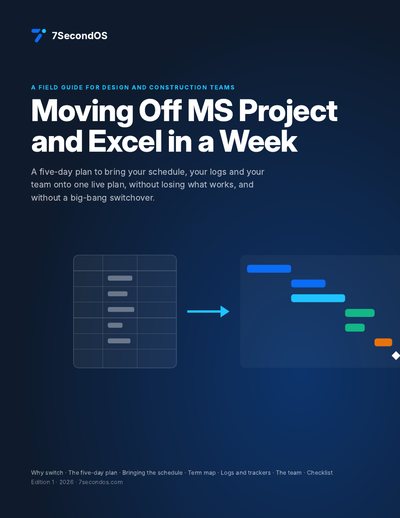
Moving Off MS Project and Excel in a Week
A five-day plan to bring your schedule, logs and team onto one live plan, with a term map. 10 pages, with diagrams and printable templates.
Start your trial and downloadOr see all the free playbooks.