One schedule for you, your subs and the owner.
For small and midsize contractors: a real construction schedule the whole job can see, from the master schedule to the three-week look-ahead, with the RFIs and punch lists behind it.
Free for 14 days. No card needed. Then $12 a person a month, every feature included.
Subs and owners join as guests, on just the jobs they work on.
Sound familiar?
The schedule lives on one laptop
Only the scheduler can open it, so subs work from a PDF that was out of date the day it was printed.
Look-aheads eat the afternoon
Every week someone copies the next three weeks out of the master schedule by hand, and it's stale by Thursday.
RFIs live in email
RFIs and punch lists sit in inboxes and spreadsheets, so nobody can see which open item is holding up which task.
How 7SecondOS helps
The schedule
A Gantt as capable as the desktop tools, in the browser, for everyone on the job.
- Phases, links, lag, locked due dates, float and the critical path
- Start from your Excel schedule: the AI drafts it for you to check
- Excel and PDF for anyone outside the job
Look-aheads and your trades
The look-ahead is a filter on the live schedule, not a copy of it.
- Show the next 2, 3 or 6 weeks in one click; late work that's still open always shows
- A lane for each sub on the Timeline, to pull plan the next weeks with them
- A weekly AI check-in on what each sub promised and what got in the way
RFIs and punch lists
Trackers right next to the schedule, and a risk log linked to the tasks it holds up.
- RFIs, submittals, change orders and punch lists from templates
- Build your own tracker with the columns your job needs, and save it as a company template for every job
- Upload an RFI, a photo or a scan and the AI fills in the entry for you to check
- Risks, issues and decisions in a log linked to the schedule
Subs and the owner
Everyone on the same plan, seeing only their own jobs.
- Invite subs and the owner to just their projects
- Guests who only view are free; you choose who can change what
- Comments and @mentions on every task and item, with an email when someone's mentioned
See it in 60 seconds
The screens in this video are illustrations with sample project data.
Free with your trial
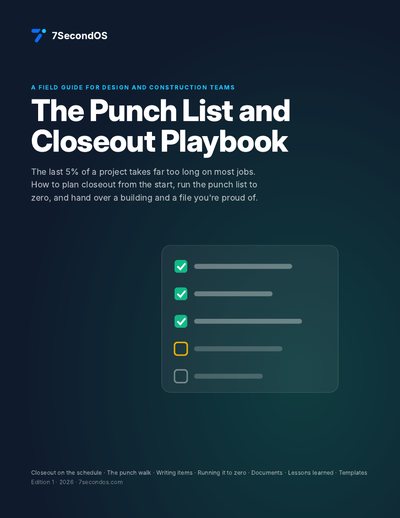
The Punch List and Closeout Playbook
Plan closeout early, run the punch list to zero, and hand over the documents and the record. 10 pages, with diagrams and printable templates.
Start your trial and downloadOr see all the free playbooks.
Questions
Do my subs and the owner have to pay?
Not to view. Guests who only view are free. A guest you let edit, for example to update their own work, counts as a seat.
Is 7SecondOS a full construction management platform?
No. It's for the schedule and the work around it: look-aheads, pull planning, RFIs, submittals, punch lists and risks. It doesn't do estimating, accounting or invoicing, so keep the tools you use for those.
Can I bring in the schedule I already have?
Yes. Upload it as an Excel file and the AI drafts the phases, tasks and dates for you to check. Nothing is added until you approve it.
Is there a minimum number of seats?
No. You pay for each person at your company, starting from one.
Try it on one real project
Put one active job in 7SecondOS, invite a couple of subs, and run next week's look-ahead from it. Free for 14 days, no card needed.
Start your trialSee pricing, how 7SecondOS compares with other tools, or the guides and playbooks.