Every team's deadlines in one place.
For small and midsize engineering firms: one live schedule across your mechanical, electrical, civil and structural teams, and a clear view of who's busy on which project.
Free for 14 days. No card needed. Then $12 a person a month, every feature included.
Clients and outside consultants join as guests, on just the projects they work on.
Sound familiar?
Deadlines live in five places
Each team keeps its own spreadsheet, so the handoff from one group to the next surprises someone every week.
Nobody knows who's overbooked
A new project comes in, and you find out who's stretched only after a deadline slips.
Status reports by hand
When a client asks where things stand, the answer takes a round of emails and an afternoon in a spreadsheet.
How 7SecondOS helps
One schedule for every team
Every group's work on one live plan, from the first deliverable to the last.
- Phases, links, lag and the critical path on the Gantt
- A lane for each team on the Timeline, so handoffs between groups are visible
- A Look-ahead filter for the next 2, 3 or 6 weeks
- Start from an Excel schedule or a proposal: the AI drafts it for you to check
Who's busy, and when
Every project you're responsible for, and who on the team is busy when.
- Status, progress, dates and owners for each project
- Team load by day, week, month or quarter, in tasks or hours
- Reports on what's overdue and what's coming
Clients and consultants
Everyone sees the same plan, and only their own projects.
- Invite clients and consultants to just their projects
- Guests who only view are free; you choose who can change what
- Excel and PDF for anyone outside the platform
Answers, not status meetings
Project Intelligence reads the schedule, trackers and files, and shows where each answer came from.
- Ask what's late or at risk on any project
- A morning brief across your projects on the days you choose
- Your firm's standard prompts, so status reports come out the same way on every project
See it in 60 seconds
The screens in this video are illustrations with sample project data.
Free with your trial
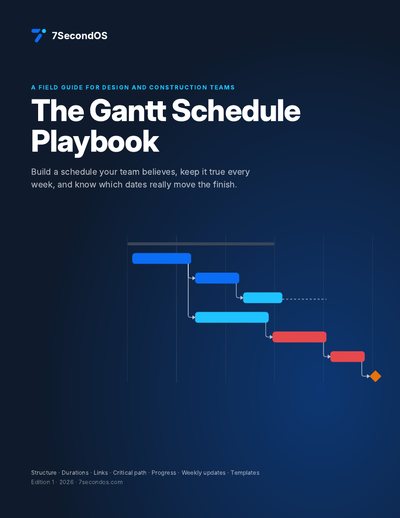
The Gantt Schedule Playbook
Structure, durations, links, the critical path and float, progress, the weekly update and ten common mistakes. 12 pages, with diagrams and printable templates.
Start your trial and downloadOr see all the free playbooks.
Questions
Does 7SecondOS track time or billing?
No. It's for planning and running the work. Keep your time-and-billing or accounting tool for those.
Do clients have to pay to see the schedule?
No. Guests who only view are free, and they see only the projects they're invited to. A guest you let edit counts as a seat.
Can we start from what we have?
Yes. Upload an Excel schedule or a proposal and the AI drafts the phases, tasks and dates for you to check. Nothing is added until you approve it.
Is there a minimum number of seats?
No. You pay for each person at your firm, starting from one.
Try it on one real project
Put your busiest project in 7SecondOS, give each team a lane, and see the handoffs in one place. Free for 14 days, no card needed.
Start your trialSee pricing, how 7SecondOS compares with other tools, or the guides and playbooks.